Images & PDFs
Start with existing artwork.
STICKER SOFTWARE FOR PRINT BUSINESSES
A branded design studio for your customers. Production files for your team.
Bring artwork, live editing, and cutline controls to your website. Keep every approved design connected to its order.
Sticker Studio by TheStickerMint.
 Sticker StudioYOUR WEBSITE. YOUR BRAND.
Actual software interface · Sample artwork and orders
FROM YOUR WEBSITE TO YOUR PRINT ROOM
Your customer creates and pays on your website. Your team receives the artwork and production files in your merchant portal.
We set up your branding, materials, pricing, and production profile with you.
Upload artwork, choose size and quantity, refine the cutline, and approve the preview. Share a link to collaborate.
Your store collects the payment. Customers can reopen their design from the cart and adjust it before purchasing.
After payment is confirmed, eligible orders generate production files. Download them in your portal for your RIP and cutter workflow.
Regular editing and sharing are free. Live production requires a connected paid-order flow, accepted billing terms and a qualified production profile.
THE CUSTOMER EXPERIENCE
Give customers the tools to create, refine, and review their sticker before they order.
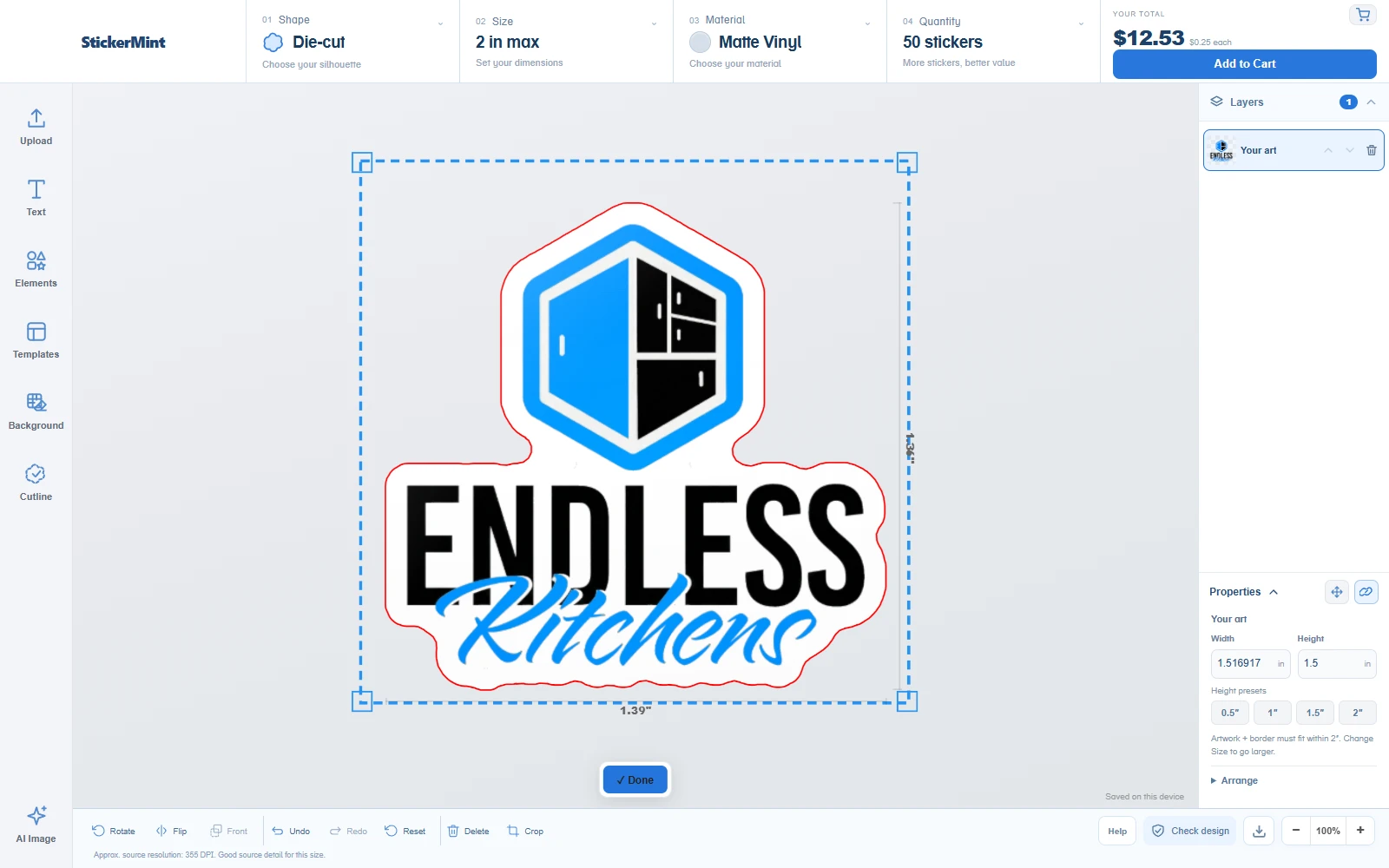
Add text, place elements, and arrange layers on one canvas. The sticker preview updates as the design changes.
Start with existing artwork.
Build a personal design.
A useful place to start.
Remove, erase, or fill.
Upscale low-resolution artwork.
Set the size in inches.
THE SHAPE MATTERS
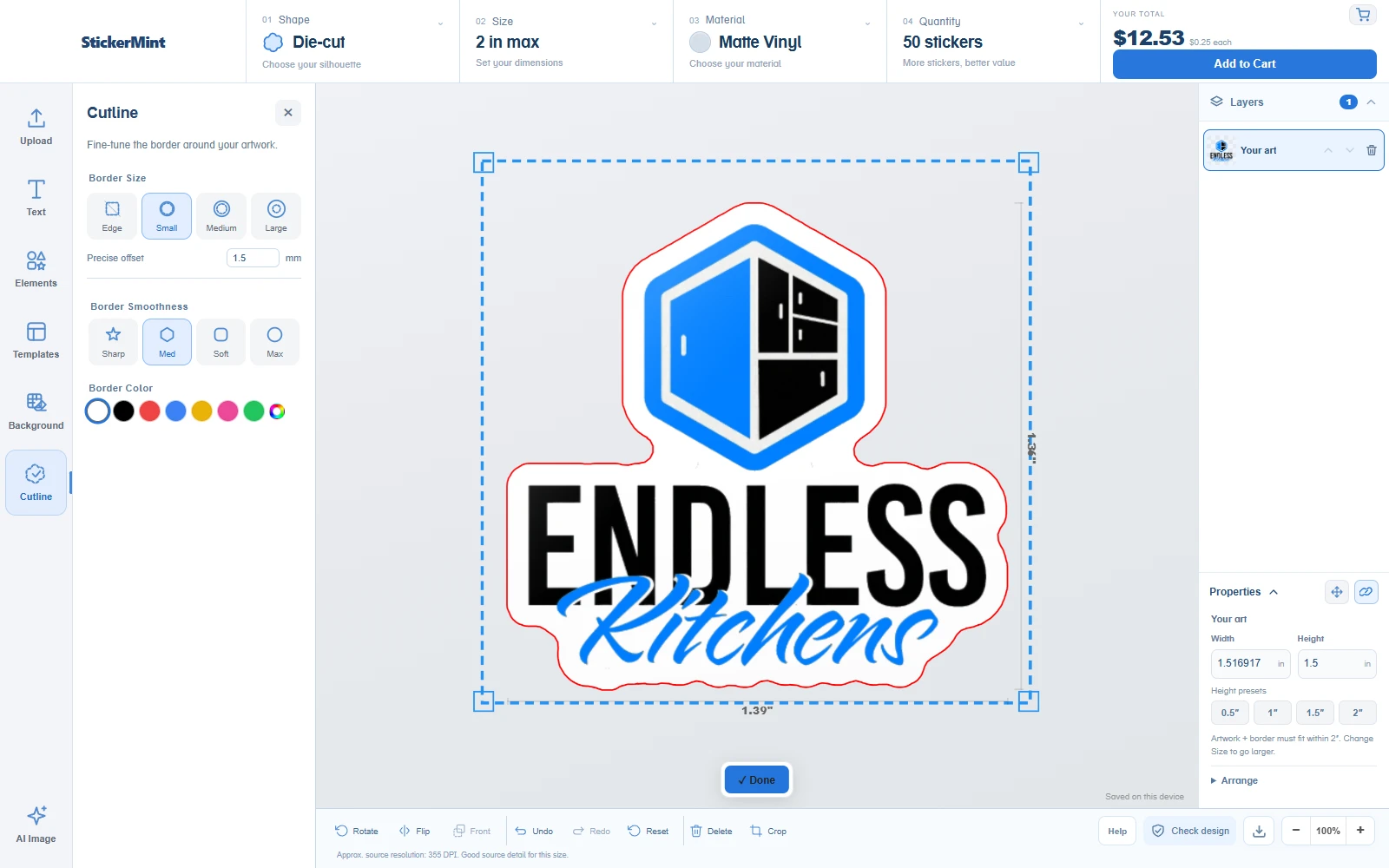
Turn the artwork silhouette into a cutline, then refine the border and finish. Customers see the shape they’re ordering.
Generate a cutline, or reuse a compatible cutline from an uploaded PDF.
Choose a preset or dial in an exact offset. Adjust smoothing and border color.
Review the artwork, shape, and size together before adding it to the cart.
THE MERCHANT WORKSPACE
The design doesn’t end at checkout. Keep the artwork, order details, and generated production files together in your portal.
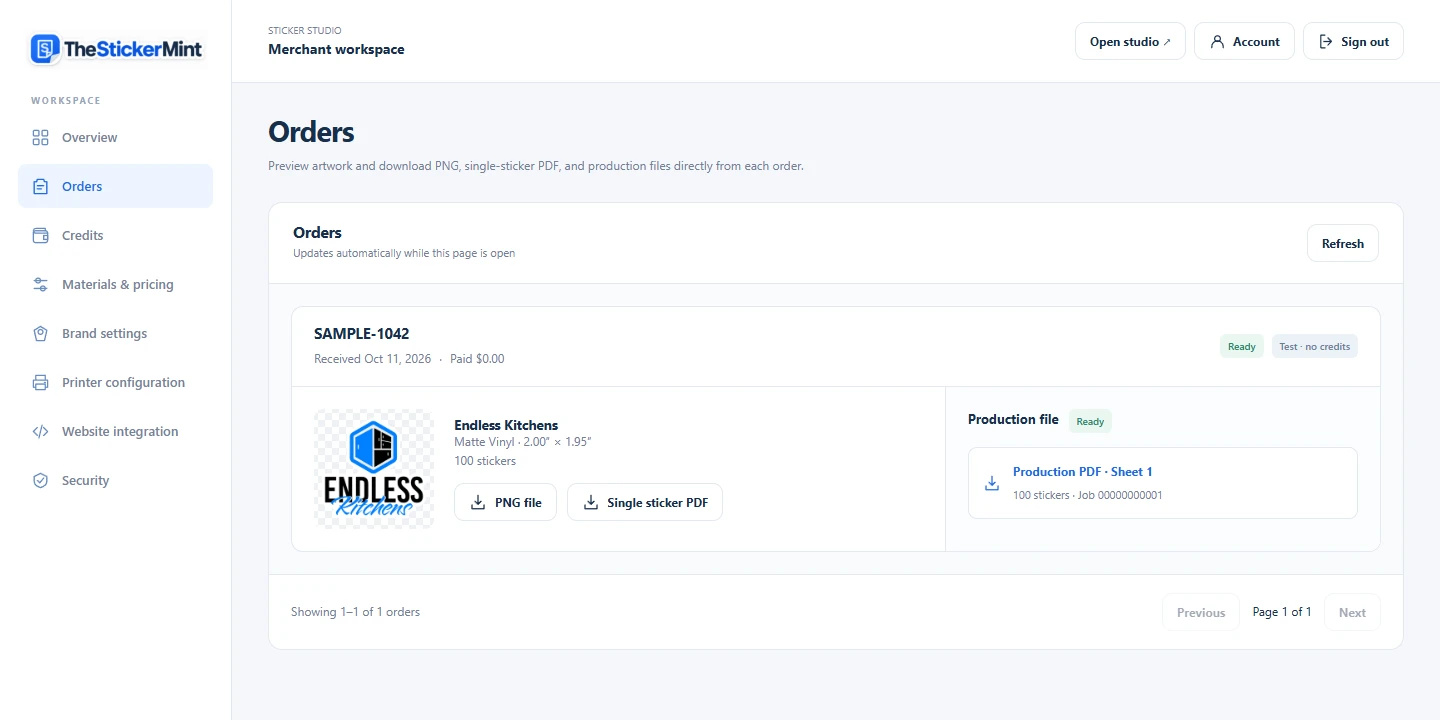
See the preview and download the PNG, single-sticker PDF, and production sheets from the same order.
Verified paid orders start a background job. Your customer finishes checkout while the files are prepared.
Configure sheet width, spacing, registration marks, barcode, and artwork color requirements.
BUILT AROUND YOUR BUSINESS
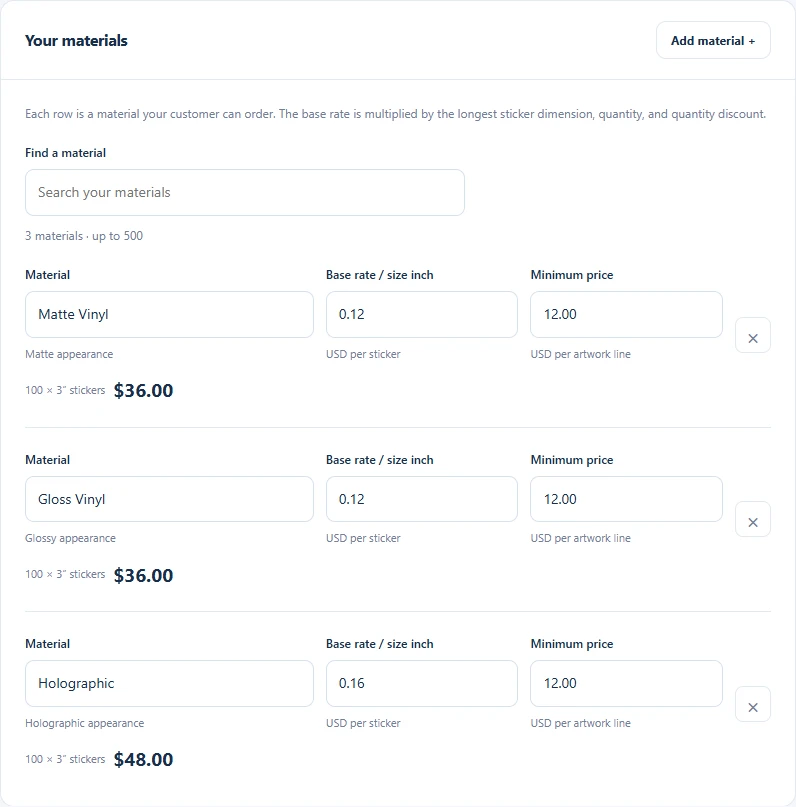
Sell the materials you actually stock. Set individual rates, minimums, and quantity pricing in your merchant workspace.
Works with your storefront.
Embed the studio and connect your cart and paid-order flow. Shopify is tested; custom sites use our embed and API.
DESIGNED FOR MOBILE CUSTOMERS
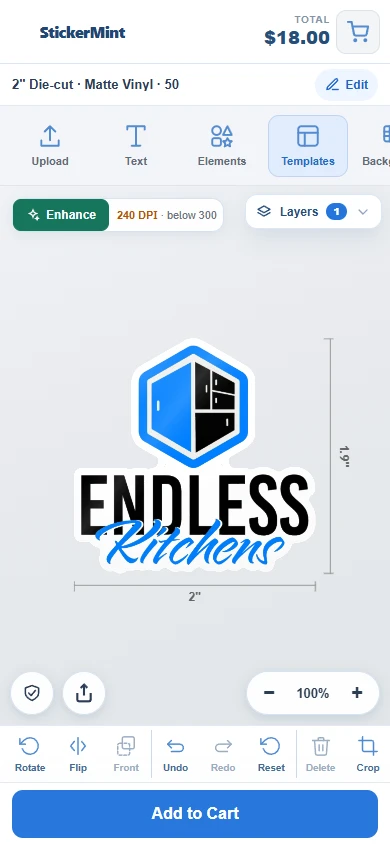
Let customers upload artwork, add text, choose sticker options, and review their design from their phone. Give them a clear path from their idea to your checkout.
Try the studioActual mobile interface · Sample artwork
ONE PRICE. THE COMPLETE WORKFLOW.
Your branded sticker studio, merchant workspace and image tools. No monthly subscription.
PAY PER ORDER
$1 minimum per order · No maximum fee
No prepaid order credits or separate AI top-ups under this pricing.
Create your workspaceAccount setup is free. Review and accept billing terms before enabling paid production.The fee is 3% of the paid sticker subtotal after discounts, excluding shipping and tax, or $1 when that is higher. It is uncapped and earned once all required production files are ready. Your monthly billing statement itemizes each eligible order and its fee.
IMAGE TOOLS INCLUDED
AI image tools are included for merchants on pay-per-order pricing. No separate AI credit purchases.
Included with pay-per-order pricing. Normal processing, file-size and service limits apply.
All amounts are in US dollars. Only eligible paid production orders incur an order fee. Editing, previews and unpaid carts do not. Printing, shipping, payment-provider fees and custom development are separate. Existing merchants keep their saved billing terms until they expressly accept a change.
Create your merchant account, verify your email, then connect billing and your storefront in your workspace.
Yes. The studio embeds on your site. A checkout connection sends approved artwork to your cart, and your backend confirms paid orders. We help set up that connection for Shopify or a custom website.
Yes. A single-page PDF loads as editable artwork in the studio. A compatible closed cutline can be reused; when one isn’t available, customers can generate a cutline and use the normal design tools.
Sticker Studio prepares artwork and production PDFs. Your RIP handles the printer’s color and media settings, and your cutter software handles the machine. We qualify the file layout and registration setup for your equipment before production use.
Yes. Your portal has individual material rates, minimum prices, quantity tiers, and brand settings. You decide what your customers can order.
Create your workspace online, then use the private setup email to activate it. We help connect your website, branding and production profile.
YOUR NEXT ORDER STARTS HERE